How AI Video Generators for Small Businesses Can Drive Growth
Table of Contents
Toggle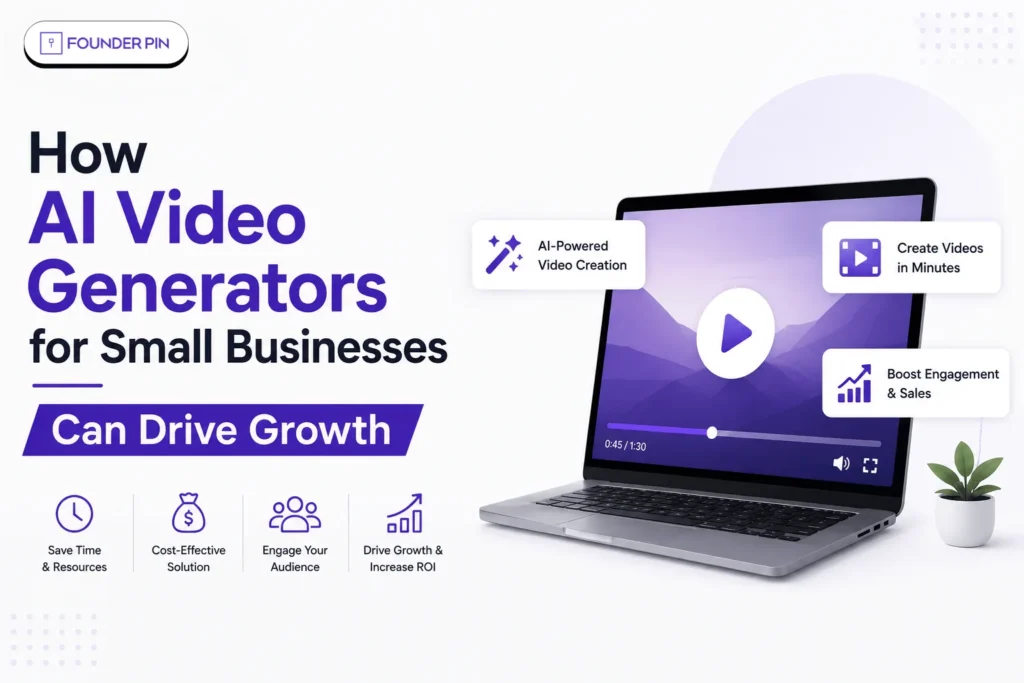
Key Takeaways
- AI video tools can reduce the time and complexity involved in producing marketing videos.
- Small businesses can repurpose one idea into Reels, Shorts, ads, product videos and tutorials.
- Short-form video is one of the strongest-performing content formats for marketers.
- AI can help businesses test more creative ideas before spending heavily on production.
- Human review remains essential for accuracy, brand consistency, copyright and customer trust.
What are AI video generators for small businesses?
AI video generators use artificial intelligence to create or transform video from things like text prompts, images, scripts, or existing footage.
Instead of starting with a camera, a lighting setup, and hours in an editing timeline, a business can now just start with an idea.
Take a bakery, for instance. They could type in a prompt describing a 15-second promo video for a new chocolate cake, and depending on the platform, the AI tool handles the visuals, the motion, the narration, even some of the supporting creative elements.
These tools aren’t limited to starting from scratch, either — a lot of them work from stuff a business already has. Adobe Firefly is a good example. It supports both text-to-video and image-to-video workflows, letting users generate product shots, B-roll, and social content straight from prompts or reference images.
So really, AI video generation isn’t just about building something new. It’s also about stretching more value out of content a business already owns.
Why Are Small Businesses Turning to AI Video Generators?
Small businesses are adopting AI video tools because video now outperforms static content almost everywhere it competes, and AI has removed the cost barrier that used to make it inaccessible. A single AI-generated product demo can now do what used to take a camera crew, lighting, and days of editing.
The numbers back this up clearly: 86% of video-ad buyers already use or plan to use generative AI this year, and 58% of small businesses now rely on AI in some form — up from 40% just last year. That’s not a slow trend; that’s a genuine shift happening in real time.
The shift is happening across industries, from ecommerce and marketing to SaaS and customer service. FounderPin’s look at top AI business ideas in India for 2026 shows just how quickly entrepreneurs are turning AI capabilities into practical business models.
8 Ways AI Video Generators Can Drive Business Growth
1. Reduce video production costs
Small businesses can put together product demos, promo videos, explainers, and social clips — all without needing a full production crew or a studio.
2. Create content faster
Feed in a script, some product info, a few images, or even just a URL, and AI tools can turn that into a video, cutting down significantly on filming and editing time.
3. Scale social media marketing
Need multiple short-form videos for Instagram Reels, YouTube Shorts, LinkedIn, and everywhere else? AI makes generating a batch of them much more realistic.
4. Improve product demonstrations
Instead of relying on static images alone, AI-generated videos can actually show a product in use — which tends to make the whole pitch more engaging.
5. Create multiple ad variations
Rather than betting everything on one creative, AI makes it easy to test different hooks, scripts, presenters, formats, and aspect ratios side by side.
6. Reach new markets
AI video platforms can produce translated and multilingual versions, helping small businesses speak to different audiences without starting from zero each time.
7. Support customer education
It’s not just about ads, either — businesses are using AI videos for tutorials, onboarding, FAQs, how-to content, and product walkthroughs too.
8. Test marketing ideas before investing heavily
Before committing serious budget to professional production or paid campaigns, AI-generated videos give small businesses a fast, low-cost way to test creative concepts first. This is actually one of the more common uses that comes up in small-business marketer communities. This test-and-learn approach is especially useful for founders working with limited resources. The same principle applies when evaluating profitable startup ideas in India: validate demand before committing significant time and capital.
How Much Do AI Video Generators for Small Businesses Cost?
Most genuinely useful AI video tools now sit in the $0–$30/month range for a small business’s first paid tier, with enterprise-heavy players like Synthesia’s Creator plan running closer to $89/month once you need higher video minutes. Budget doesn’t have to be the barrier it once was.
A practical way to think about spend:
- Testing the waters — start on a free plan (HeyGen, VEED, Runway, or Google Veo 3 via AI Studio) before paying anything
- Regular content production — budget $25–$35/month for tools like InVideo Plus or HeyGen Creator
- Training or onboarding-heavy use cases — expect $89+/month once you need Synthesia’s higher video-minute tiers
Which AI Video Generators for Small Businesses Are Worth Trying in 2026?
There’s no single “best” tool — the right pick depends on whether you need avatar-led content, cinematic generation, or fast social clips. Here’s how the leading options actually differ:
- HeyGen — best for avatar-led marketing and sales videos in 175+ languages; Free plan, then Creator at $29/month, Pro at $49/month
- Synthesia — strong for training and onboarding videos with 125+ AI avatars; Starter at $29/month (120 minutes/year), Creator at $89/month (360 minutes)
- InVideo — built for social media managers needing high-volume short-form content fast; free plan available, Plus at $35/month
- VEED — solid all-rounder with live-streaming support; free plan with watermark, Creator at $12/month for 1080p exports
- Runway — best for teams wanting cinematic, expressive AI-generated video with advanced camera controls; free plan with 125 one-time credits
- Descript — an editor first, AI generator second; ideal if your raw material is recorded video or podcasts rather than prompts
- Google Veo 3 — genuinely strong output quality, available free through Google AI Studio, and surprisingly underused by small businesses
How can AI video generators reduce production costs?
The biggest advantage is often not replacing people; it is reducing the amount of repetitive production work.
Traditional video production can involve scripting, filming, reshoots, editing, animation, voiceovers and multiple rounds of revisions.
AI can automate or accelerate parts of that workflow.
A small business could use AI to:
- Turn a blog post into a video script.
- Generate visual concepts.
- Create B-roll.
- Animate product images.
- Produce multiple aspect ratios.
- Generate subtitles or narration.
- Create variations for different audiences.
- Repurpose longer videos into shorter clips.
Adobe says Firefly can turn text prompts or images into video clips and includes tools for text-to-video, image-to-video and AI-assisted editing. For businesses that already have strong product photography, Adobe Firefly’s image-to-video tool is particularly interesting because it can turn existing images into short video clips rather than requiring businesses to create every visual from scratch.
That can reduce the amount of manual work required for simple marketing assets.
But there is an important distinction:
Lower production effort does not automatically mean lower marketing cost.
Businesses still need strategy, creative direction, editing, distribution and performance measurement.
How can AI video improve product marketing?
Products that are difficult to explain through static images can benefit particularly from video.
An ecommerce brand can use AI video to demonstrate product features, create lifestyle scenes or animate product photographs.
For example, a furniture company could turn a product image into a short visual showing the sofa inside a modern living room.
A skincare company could create an educational animation explaining how a product should be used.
A software startup could turn a written feature announcement into a short product walkthrough.
Google’s video-generation technology has also moved toward more sophisticated text-to-video and image-to-video workflows. Veo 3, for example, can generate video with dialogue, sound effects and background audio.
For small brands, this creates an opportunity to make products easier to understand without producing a full commercial for every campaign.
What are the biggest risks of using AI video?
AI video can accelerate content production, but careless automation can damage a small brand faster than it grows one.
Businesses should pay attention to:
- Incorrect product information
- Unrealistic product visuals
- Copyright and licensing terms
- Misleading claims
- Fake customer experiences
- AI-generated people or voices
- Brand inconsistency
- Platform disclosure requirements
- Privacy and likeness rights
Google, for example, uses SynthID to help identify AI-generated content in its generative media ecosystem. Google has stated that generated videos can include invisible SynthID signals, alongside visible watermarks in certain circumstances.
Adobe also warns that commercial-use eligibility can depend on the specific model being used, particularly when partner models are available inside Firefly.
So the safest approach is simple:
Use AI for speed, but keep humans responsible for the final output.
How should a small business build an AI video workflow?
Start with your business goals — not with picking a shiny AI tool first.
Here’s a simple workflow that actually works:
Step 1: Choose one objective
Pick a single goal — awareness, leads, sales, or customer education. Not all four at once.
Step 2: Create one core idea
Write down one message that your target customer genuinely cares about. Just one.
Step 3: Generate multiple versions
Test out different hooks, visuals, and calls to action rather than betting on a single version.
Step 4: Human-review every video
Go through and check facts, branding, visuals, claims, pronunciation, and product details — every single time.
Step 5: Publish across relevant channels
Adapt the same core content for Instagram, YouTube, LinkedIn, your website, or wherever else makes sense.
Step 6: Measure business outcomes
Don’t stop at views — that’s the easy number to chase. Track clicks, leads, conversions, revenue, and customer acquisition cost wherever you can.
The same measurement-first mindset matters when building an AI startup or scaling an AI-enabled business. FounderPin’s Top 10 Indian AI Companies in 2026 provides useful examples of how AI companies are applying technology to specific commercial problems rather than simply chasing impressive demonstrations
That last step is honestly where most businesses trip up.
A million views with zero customers is just a nice marketing story. A smaller audience that keeps converting? That’s an actual business result.
FounderPin Perspective
For small businesses, AI video should not be viewed as a replacement for creativity.
It is better understood as a force multiplier.
A founder who understands customers can use AI to produce more educational videos. A marketer can test more advertising concepts. An ecommerce company can demonstrate more products. A local business can answer more customer questions.
The technology handles more of the production workload.
The business still needs the idea.
That is why the smartest small businesses will not ask, “Can AI make my videos?”
They will ask:
“Which customer problem can we explain better with video?”
That is where AI video starts driving real growth.
Final Word
AI video generators have moved from novelty to genuine growth infrastructure for small businesses — the tools are affordable, the output quality is credible, and the content formats they unlock now directly compete with what used to require a full production budget. Start with a free tier, match the tool to your actual weekly content need, and scale spend only once you can see it converting.
Looking to build a content and growth strategy for your small business? Contact FounderPin today for a consultation, and let’s map out the right path for your business.
Frequently Asked Questions
Are AI video generators useful for small businesses?
Yes. They can help small teams create social videos, product demonstrations, educational content, advertisements and promotional assets without relying on a large production team.
Can AI video reduce marketing costs?
It can reduce production time and the amount of manual work required for certain video formats. However, businesses still need to budget for software, creative direction, editing, distribution and advertising.
What type of business benefits most from AI video?
Ecommerce, local services, education, SaaS, real estate, fitness, restaurants and professional services can all benefit. The strongest use cases usually involve products or services that need demonstration or explanation.
Should small businesses completely automate video creation?
No. AI-generated content should receive human review for accuracy, brand consistency, copyright, likeness, product claims and overall quality.
Does AI-generated video guarantee more sales?
No. AI can make content production faster, but it cannot guarantee conversions. Business results still depend on the offer, audience, creative quality, distribution and customer experience.
SHARE